LG Ultragear 32GS95UE review
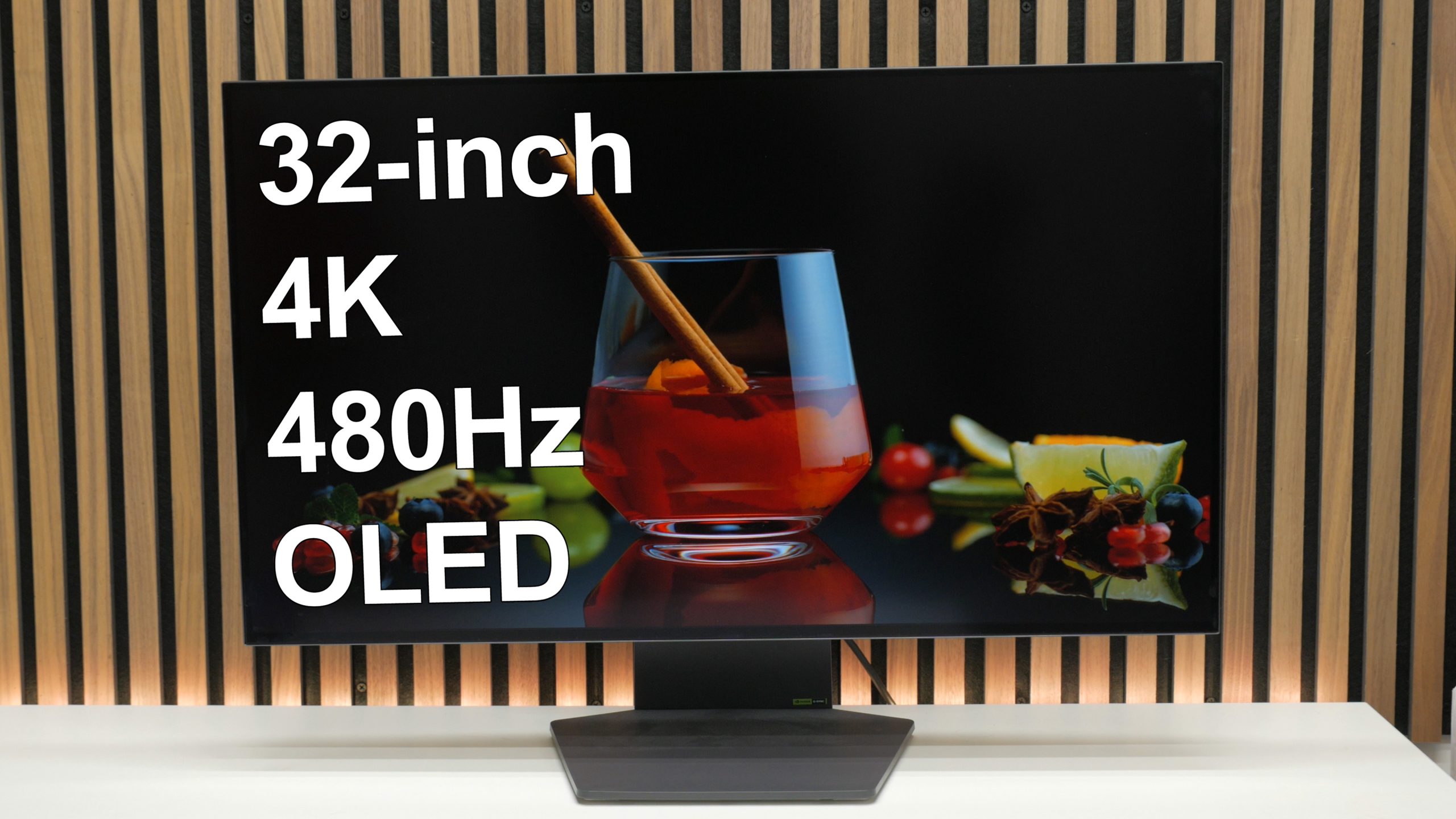
The ultimate balance of image quality and performance
Buy now from Amazon:
Introduction
This is the LG Ultragear 32GS95UE, and it can make a strong claim to being the single best gaming monitor available right now. That’s because it combines so many of the features you might want from a gaming monitor in one. At 32-inches from corner to corner, it’s a decently large screen. It also boasts a 4K resolution allowing you to make the most of all that screen space.
What’s more, at that 4K resolution, it can run at 240Hz, offering incredibly smooth gameplay even at this high resolution. But the ace up its sleeve is that it can switch from this 4K 240Hz mode to a 1080p 480Hz mode that allows it to offer about as smooth and responsive a gaming experience as you can get on any screen right now.
All that and its use of an OLED panel means you get essentially infinite contrast and a pixel response that’s effectively instant too.
That’s the on-paper specs but does it all combine to make for the ultimate gaming monitor that’s worth its $1400 asking price? Mostly, yes.
LG Ultragear 32GS95UE pros and cons
Pros
- Dazzling image quality at 4K
- Gaming at 4K @ 240Hz looks amazing
- Gaming at 1080p 480Hz is peak gaming performance
- Surprisingly good built in speakers
Cons
- Expensive
- Matte screen coating
- Can’t acheive 4K at 240Hz without DSC
LG Ultragear 32GS95UE specs
- Screen size: 32-inch
- Resolution: 3,840 x 2,160 or 1,920 x 1,080
- Panel type: OLED (WOLED)
- Maximum refresh rate: 240Hz or 480Hz
- Response time: 0.03ms
- Inputs: DisplayPort 2.0, 2 x HDMI 2.1
- Stand adjustability: Height, Tilt, Pivot, Rotation
- Adaptive sync: Freesync and G-Sync
- Extras: VESA mount,
- Speakers: Yes, 2 x 10W
LG Ultragear 32GS95UE video review
LG Ultragear 32GS95UE review
The good stuff starts with its clean, simple design and choice to opt for a flat rather than curved panel. Curved panels are great for massive widescreen monitors but are a bit of a waste of time for a screen this size, only serving to limit your view from certain angles and providing next to no benefit when viewed straight on.
The panel’s bezels, meanwhile, are nice and slim and the monitor’s stand is compact and flat, so it doesn’t take up much desk space. And the space it does take up is still useable thanks to it having a flat top surface.
The back is reasonably clean too, even if it doesn’t particularly show off how thin OLED panels can be. It also incorporates are fairly pointless ring of RGB lighting that can be set to a variety of colors and patterns.
The only significant oddity with the design as a whole is the strangely wide stand. It makes the display nice and stable but is an interesting look.
As for general practicalities, the stand offers a full range of height, rotation, pivot, and tilt movements, plus it can be removed so you can attach a monitor arm.
Connections consist of a fairly standard trio of one DisplayPort and two HDMI, with all able to offer the full speed of the panel and offering G-Sync and Freesync compatibility. You also get a headphone out and a two port USB hub. What’s more, this display packs in surprisingly good speakers. They easily outclass truly entry level sub $30 desktop speakers and soundbars, so if you’re after a really clean setup this is a great option.
A button on the underside of the screen convenientaly engages the display’s Dual-Mode resolution switching feature while a single button on the back of the panel is used to control all the display’s menus. You can tap up, down, left or right to enter a quick menu or tap the button to get the main menu, with settings arranged into intuitive sections.
The key options to look out for in the game section are the game modes that give you quick access to a range of image presets, along with the option to create your own custom setups using the Gamer 1 and 2 modes. The other crucial option is the Dual Mode setting that is where you can change the size of the screen when using the 1080p mode, which we’ll cover more in a moment.
Picture adjust gets you cores settings like brightness, contrast, gamma, and color temperature, although they’re grayed out here as the screen happened to be in HDR mode, which locks out most of these settings. Given that the default modes are impressively color accurate, there’s little need to change too much here. However, one option to look out for is Peak Brightness, which changes the top level of brightness in HDR. You’ll want it on High for maximum HDR impact.
Sound lets you change the headphone jack and speaker volume plus you can set a DTX virtual surround mode for both the headphone output and speakers. For the speakers it’s actually quite a useful setting that makes for a more immersive sound.
Finally, in General is where you get the OLED care settings, which are essential for prolonging the life of the screen. We’d recommend leaving on Screen Move, which imperceptibly moves the pixels every now and then to help reduce the time each pixels is kept stuck on a single color. It’s also worth running the Image Cleaning mode every now and then too.
Back to the panel itself and this is one special screen. The combination of a 32-inch size and a 4K resolution is ideal as it means you can get a nicely sharp image with a high pixel density of 140ppi while still getting a larger desktop space than on a 27-inch 4K screen.
That pixel density also helps alleviate one of the general problems with a lot of old OLED monitors I’ve looked at so far, which is that they’re not quite as sharp as LCDs. The extra sharpness means text looks nice and crisp here, with only a tiny hint of the colored fringing that has all but ruined trying to read text on some OLEDs, most notably the LG 27GS95QE. An equivalent size and resolution LCD panel would still be slightly clearer, but this screen is sharp enough that I’d be happy to work at it all day, as well as game on it all night.
And as for anything non-text-based, this panel looks amazing. Colors are vivid yet natural looking, contrast is of course effectively infinite, and crucially, LG’s latest WOLED panel technology can go far brighter than its previous panel tech. Where the LG 27GS95QE topped out at a maximum full screen brightness of just 200nits, this panel can stretch to 275nits, which may not sound like a massive difference but it means you don’t have to run the display at maximum brightness all the time, helping prolong the life of the screen, plus it really boosts the usability of this panel in brighter environments and lends HDR some extra punch.
LCD screens can still get far brighter across their whole panel, typically topping out at around 400nits, but this LG is bright enough for most indoor use. What’s more, it can go much brighter than 275nits for small patches of brightness in HDR. It can hit up to 1300nits for very small patches and well over 500nits for larger patches.
This panel uses a fairly matte coating for the panel, to very effectively reduce reflections, but this can slightly lighten the look of dark parts of the image when viewing the screen in a bright room. Glossier coatings give you a deeper looking black in the dark but strong lights will cause distracting reflections so it’s your choice of which compromise to take.
Further helping make this a great option for use in slightly brighter environments is that LG’s WOLED panels don’t use quantum dots. With Samsung’s rival QD-OLED panels, those quantum dots can cause distracting colored god rays, as on this other panel.
The advantage of QD-OLED that you miss out on here, though, is it can reach higher peak brightness in pure red, green, or blue colors, so can look more punchy in HDR, but for most practical uses, this isn’t a major concern.
Finally we come to gaming and this is where this display really comes into its own. For a start, its ability to deliver 240Hz at 4K is impressive enough, with this level of smoothness being all you’ll need for most games. However, the ability to switch to 1080p at 480Hz is amazing. 480Hz just feels so smooth. It’s right on the limit of feeling not like you’re experiencing a really fast screen but that what’s happening on screen is just real life. There’s almost no discernible delay from your thought process to it happening on screen.
Crucial to that is the 0.03ms response time of the panel, which means that even compared to LCD monitors that can go at over 500Hz, this display still feels next level responsive.
The finishing touch for this 1080p mode is the ability to switch the panel to have the 1080p resolution shown full screen, at the equivalent of a 27-inch screen or even a 24-inch screen, so you don’t have to worry about the image being too large or looking too blocky for your liking.
All told, then, this display really is essentially everything I could wish for from a gaming monitor right now. It is great for work, fantastic for video, and stunning for gaming. There are a few things I might ideally tweak, such as the overall design of the panel, and the choice of a matte finish, but they’re far from deal breakers.
Instead, the big elephant in the room is that this is not the only gaming monitor to offer this combination of features. Asus actually beat LG to the punch with its PG32UCDP display, despite it also using an LG panel, but I’ve yet to test that panel. Meanwhile, several other companies are releasing similar panels, such as Dough with its stunningly elegant Spectrum Black 32 panel. Review of that one coming soon.
As such, the big factor here will come down to price. With most other aspects being equal, if you can find any of these 32-inch LG Dual Mode panels at a significant discount, it’s probably going to be the best the one to buy at that moment. That said, I’ve not reviewed the others yet so all I can definitively say is this LG panel is fantastic. It does feel kind of expensive at its full $1,400 MSRP but, but if you have managed to find one that’s discounted or simply can’t wait, I doubt you’ll be disappointed.
LG Ultragear 32GS95UE price
The LG Ultragear 32GS95UE price is $1,399, though recent discounting has brought it down to being widely available at $1,099.
Buy now from Amazon:
Related Posts


About The Author
